
Your supplier invoices read by AI.
Photograph an invoice: the AI extracts the lines, checks the total and VAT, matches each line to your stock and updates your purchase prices.
You approve.
Your accountant receives everything, filed.
- One photo is enough : the AI reads every line of the invoice
- Stock and purchase prices updated in one tap
- Your accountant finds everything, filed by supplier
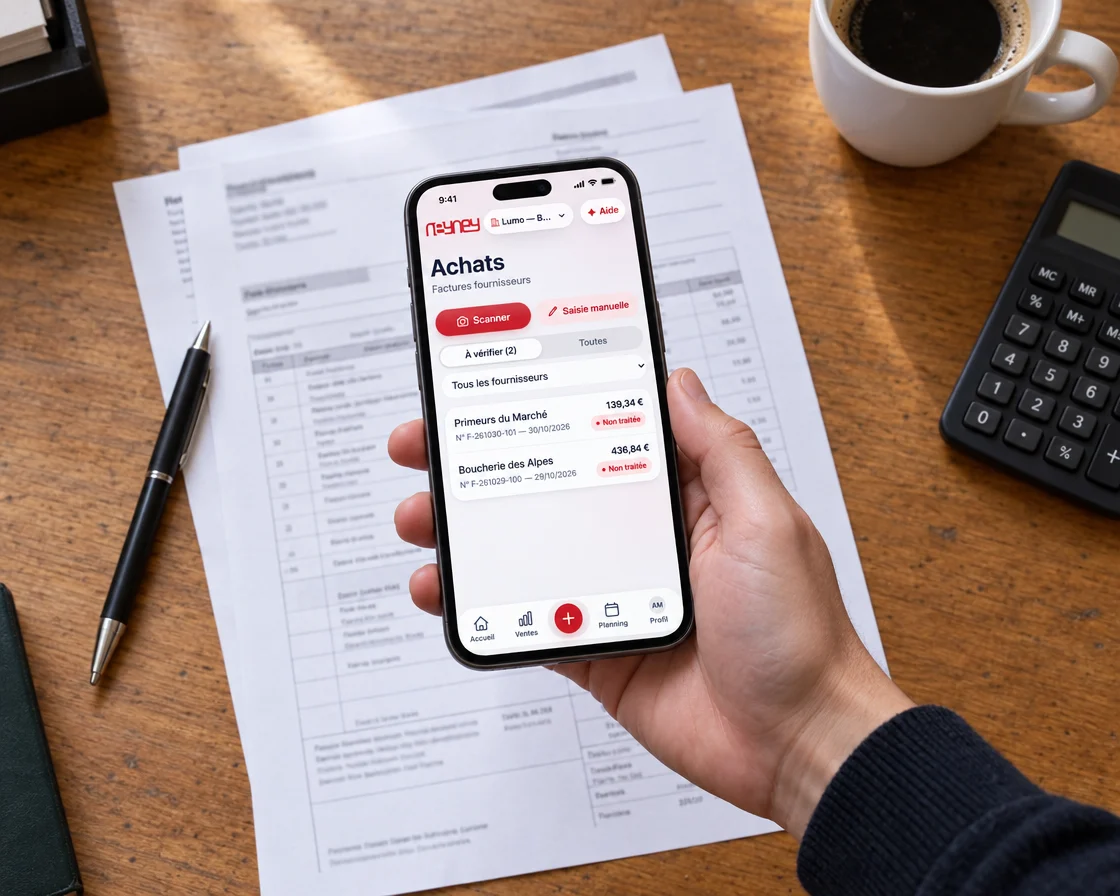
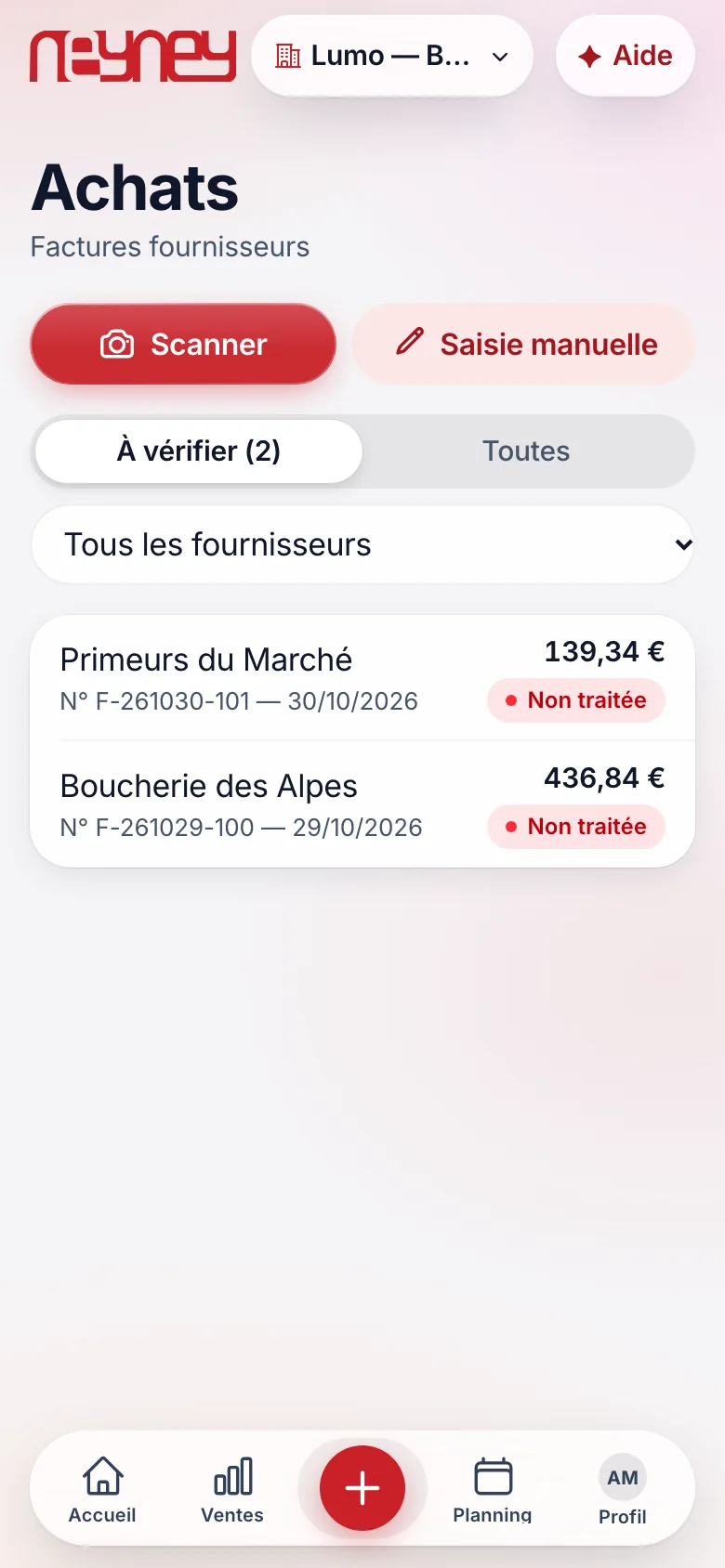
You scan the invoice, or type it in
From the app, you photograph the invoice on the counter.
It lands in the “to check” list with its number, date and amount.
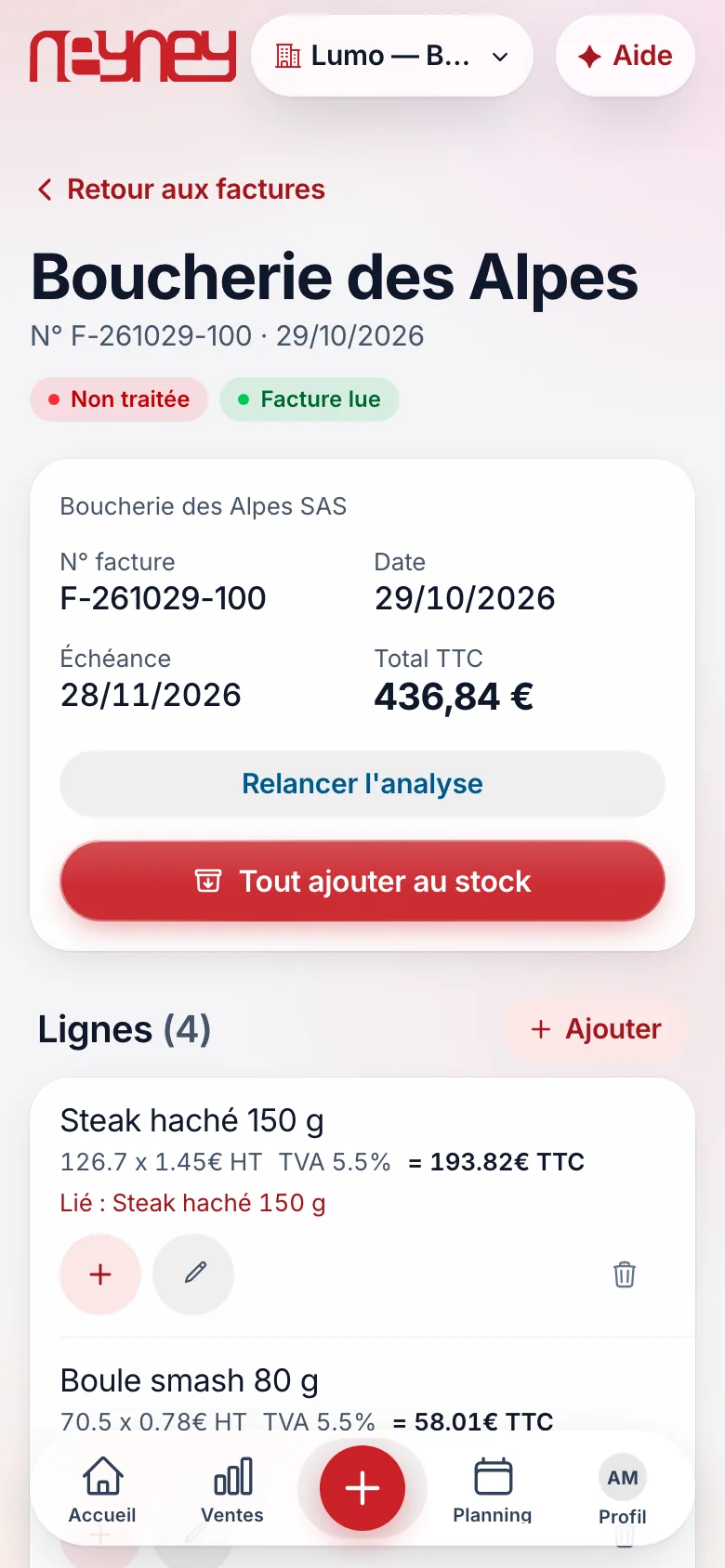
Every line is read by the AI
Supplier, number, date, due date, total: everything is read.
You check at a glance.
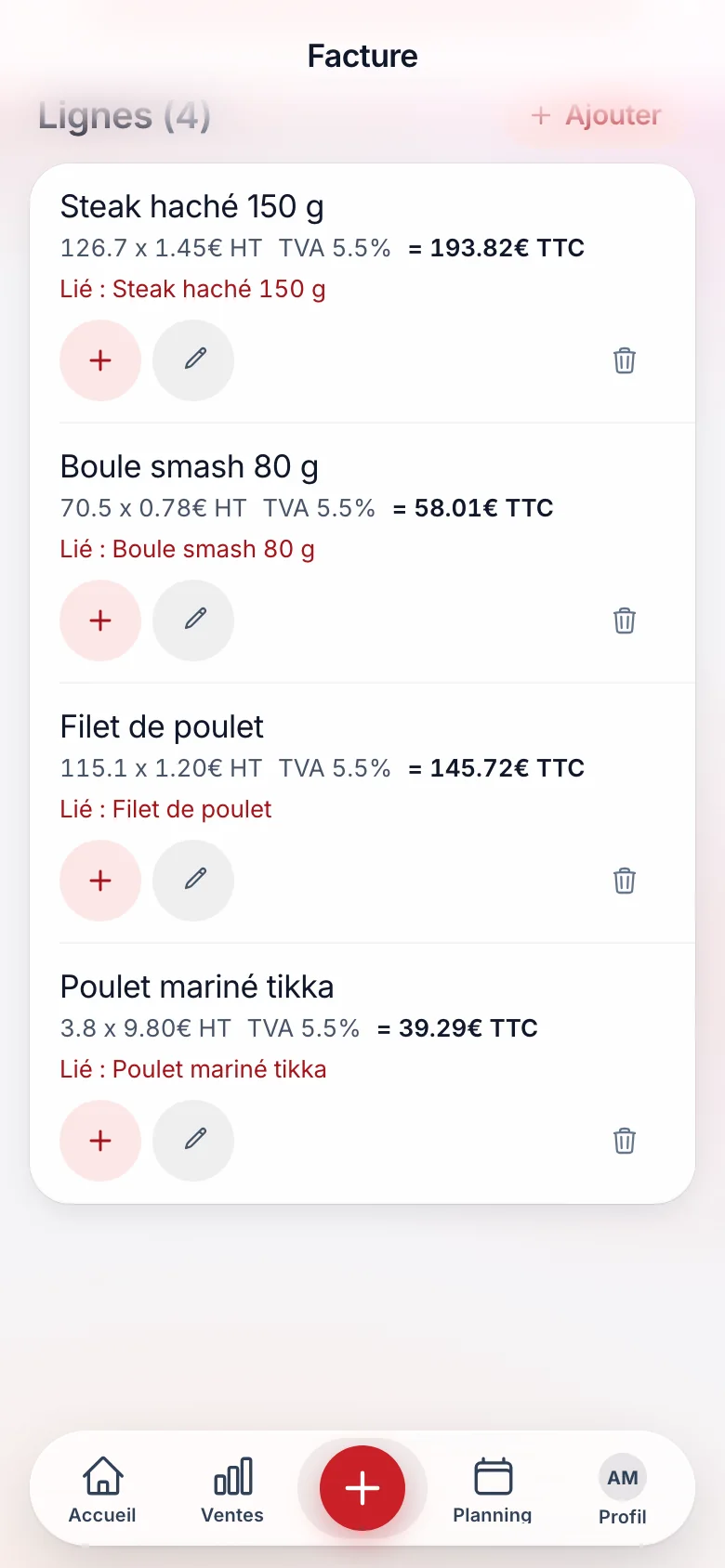
One tap, and the stock is up to date
Each line is already linked to an ingredient.
“Add everything to stock”, and the quantities go up.
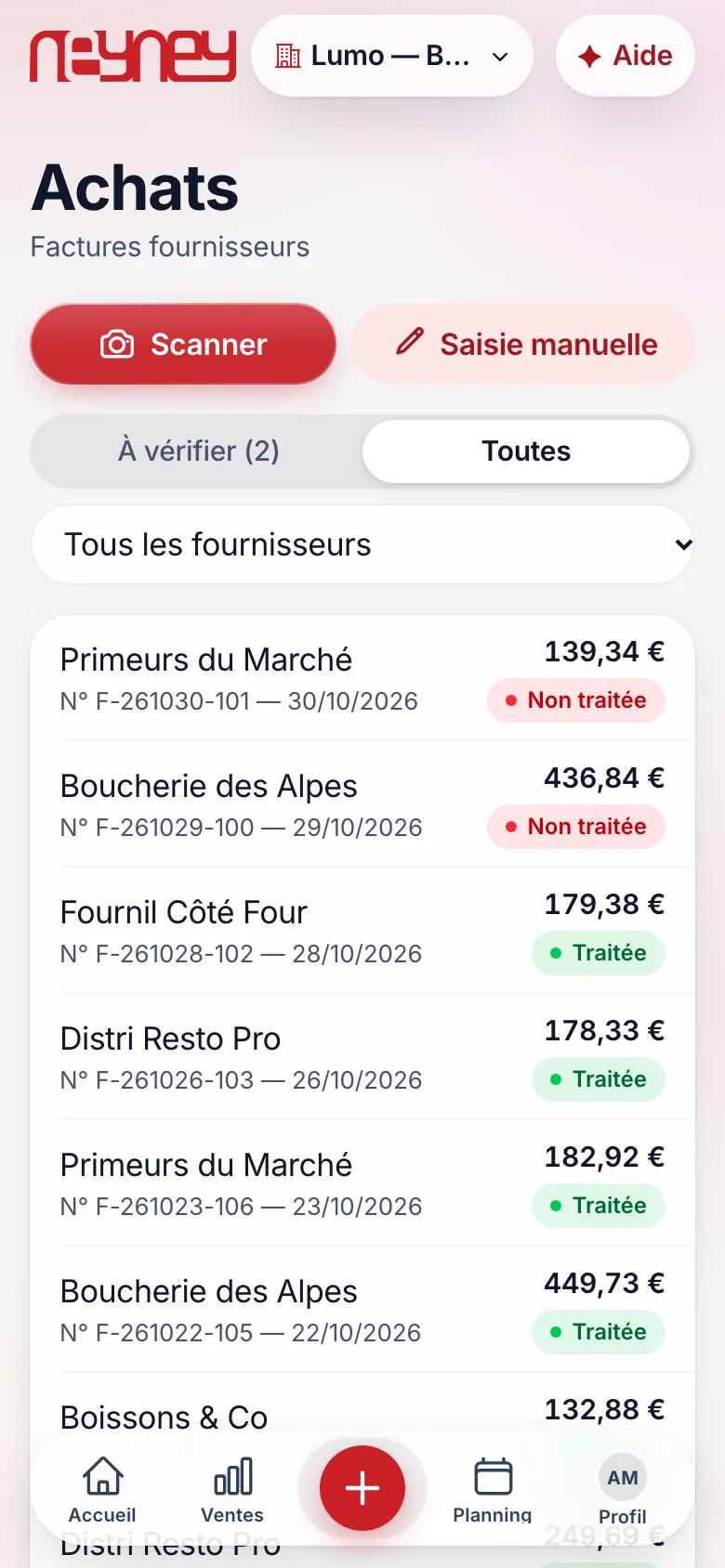
Your invoices filed by supplier and by date
Processed or pending, filterable by supplier.
Your accountant finds everything without going through you.
Thirty invoices a month, five hours of data entry saved
A restaurant that receives thirty invoices a month and spends ten minutes on each, in the evening after service, spends five hours on them.
With one photo per invoice, ten seconds is enough, and your stock purchase prices stay up to date without thinking about it.
The module costs 27 € a month.
A calculation assumption: the time depends on the number of invoices and how legible they are. Approval stays in your hands.
No more data entry at night after service
An invoice takes ten seconds instead of ten minutes, and your figures are right.
From the app, photograph the invoice or forward the PDF received by email.
The AI does the rest.
Every line is read: product, quantity, unit price, VAT.
Totals are recalculated and compared with the invoice.
Each line is linked to an ingredient.
Stock goes up, purchase prices update, your food cost follows.
The AI proposes, you confirm at a glance.
A doubtful line is flagged.
Invoices filed by supplier and by month, accounting export ready.
Your accountant accesses them directly.
Due date, amount, paid or not: you know what you owe and when.
Your invoices filed, from the first photo
The module is activated in one click from your customer area or with your advisor. It is billed from your next payment, with no pro rata, and removed at the end of the period paid.
Build my planYour questions about this module
You photograph a supplier invoice: the AI extracts the lines and matches them to your stock. The total and VAT are checked, then you approve. No more manual entry.
Every invoice goes through your approval. A misread line is corrected in one tap, and the AI remembers the correction for the next invoices from the same supplier.
Forward them to your dedicated NeyNey address: they are read like a photo. PDF invoices are read without loss.
Yes. You give them access: they see the filed invoices, the exports and the journal, without going through you.
No. On its own, the Invoices module files your invoices, checks the totals and prepares the accounts. With the Stock module, it also updates your stock and purchase prices.
Yes. Modules are independent: you activate this one alone or with others, and you add or remove it whenever you want, without changing hardware. It is billed from your next payment, with no pro rata.