
Your stock and your margin, dish by dish.
Every sale deducts your ingredients.
You see what is left, what to order and what each dish really earns you.
- Stock goes down with every sale, with nothing to re-enter
- Stocktake in 10 minutes from the phone
- Your margin dish by dish : you adjust your prices knowing the numbers
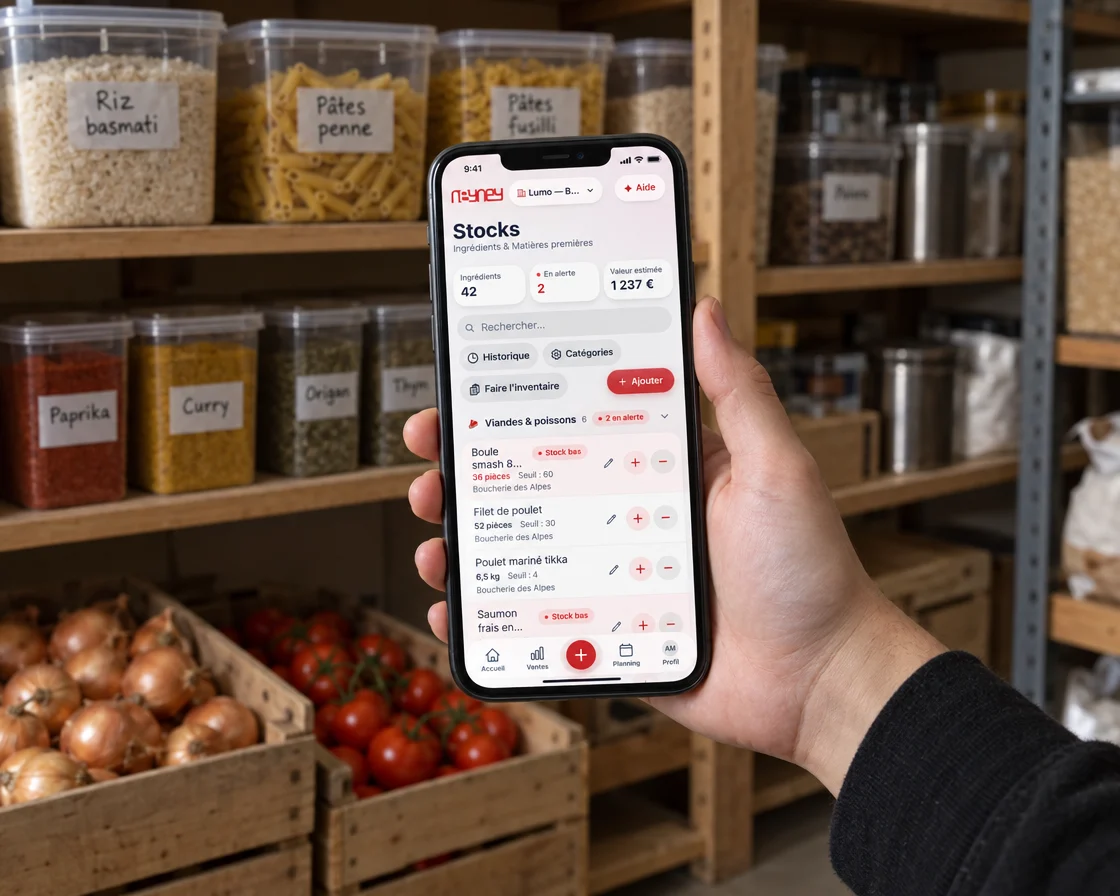
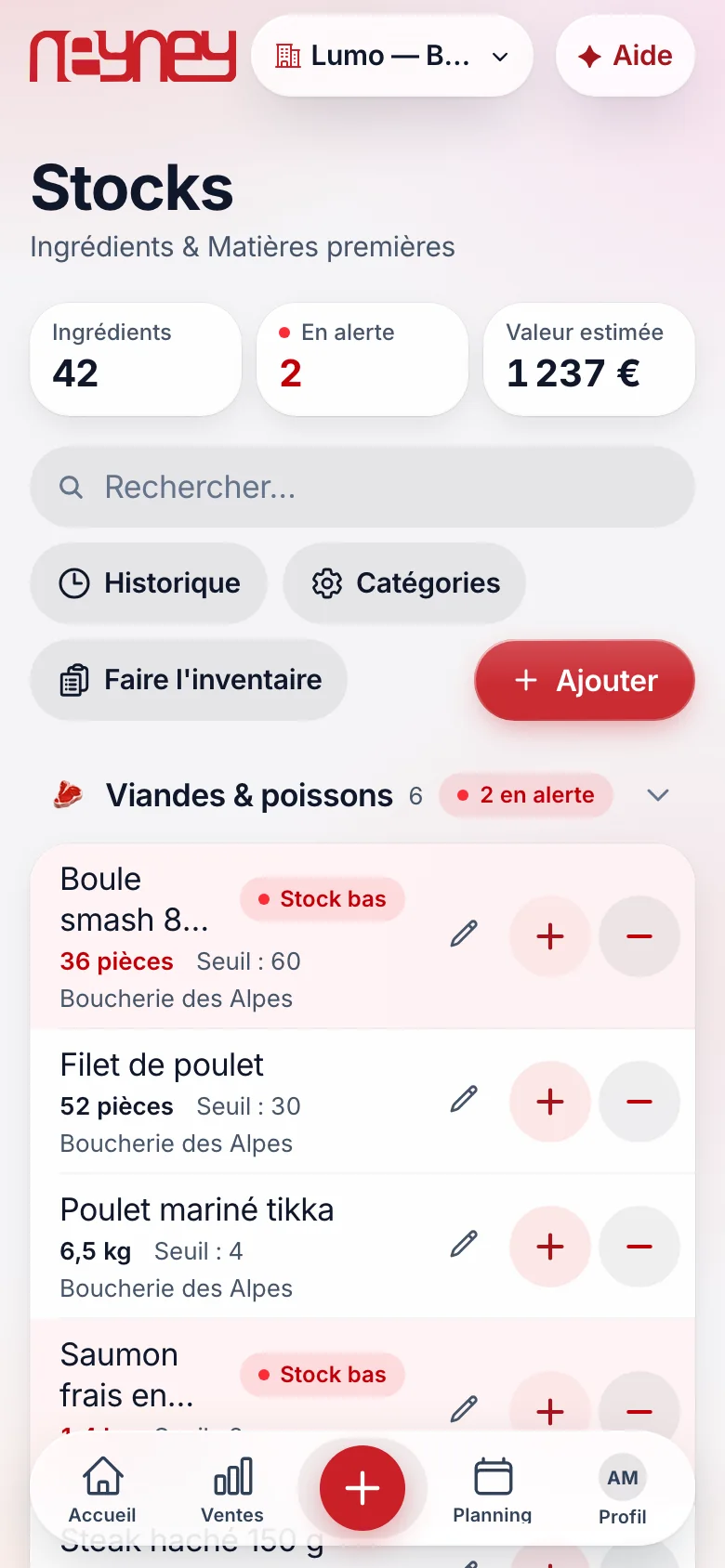
Your ingredients, their thresholds, their suppliers
Each ingredient is filed by category with its quantity, alert threshold and supplier.
Anything below the threshold shows in red.
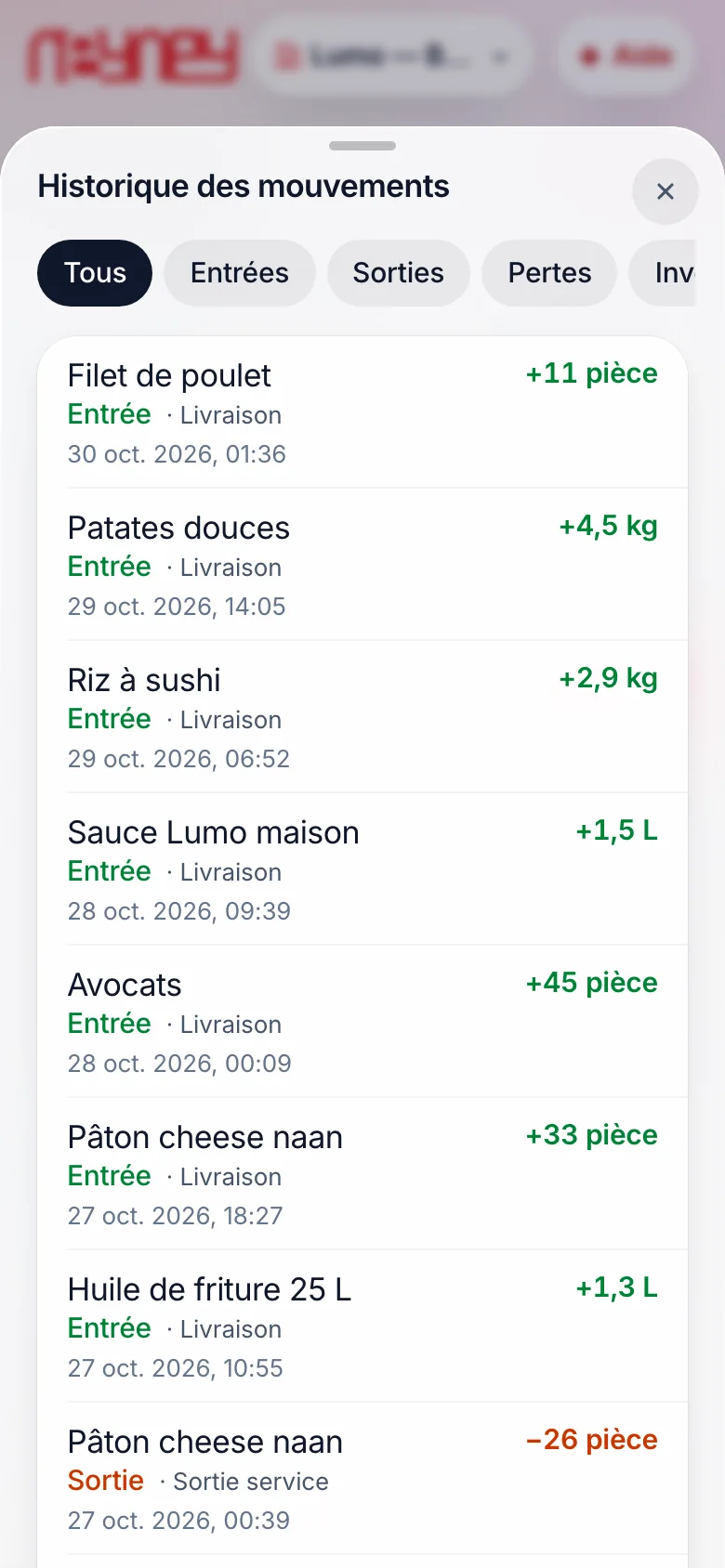
Deliveries, sales, waste: everything is tracked
Every movement is dated: a delivery coming in, a sale going out, waste, a stocktake.
You can see who did what and when.
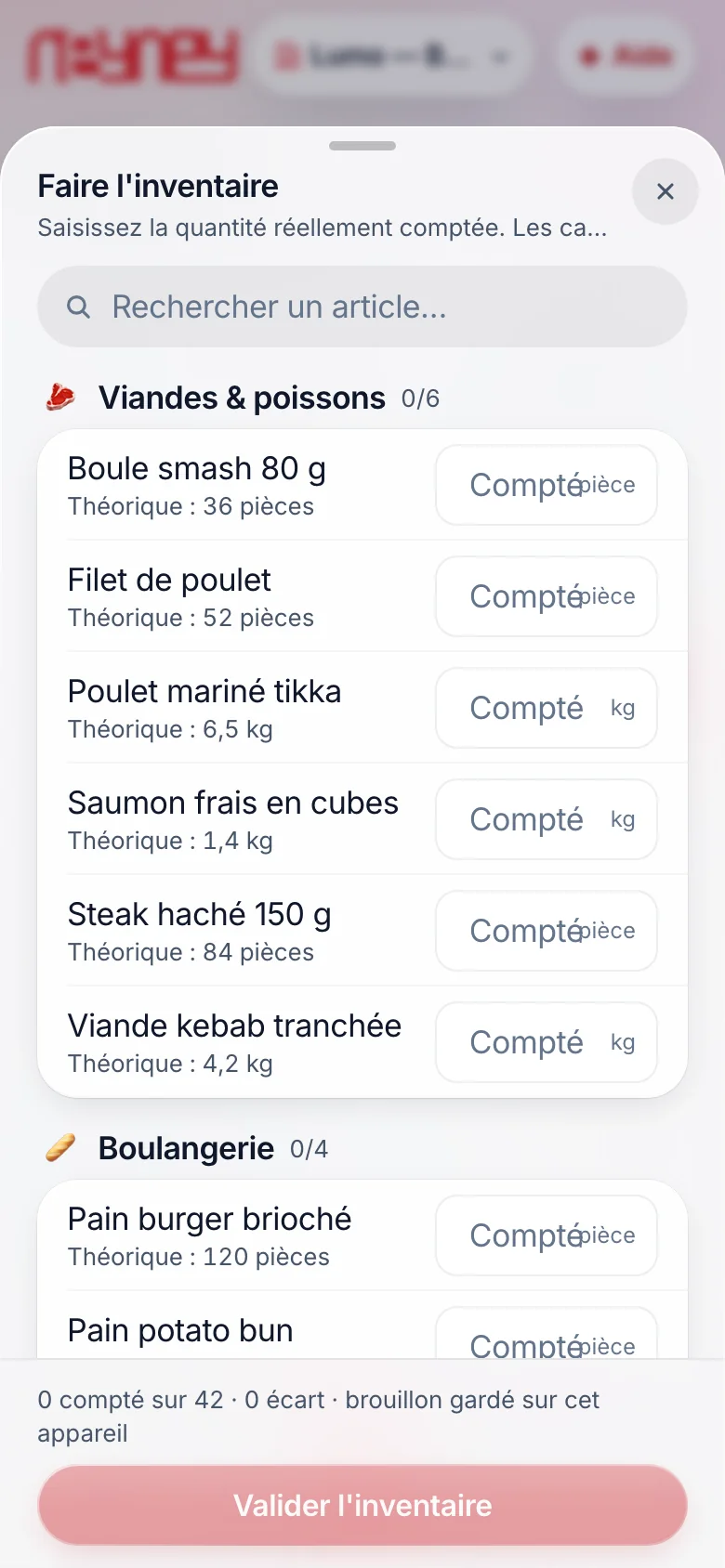
Stocktaking is done from the phone
Category by category, you enter what you actually count.
The draft is kept, and the gaps show when you confirm.
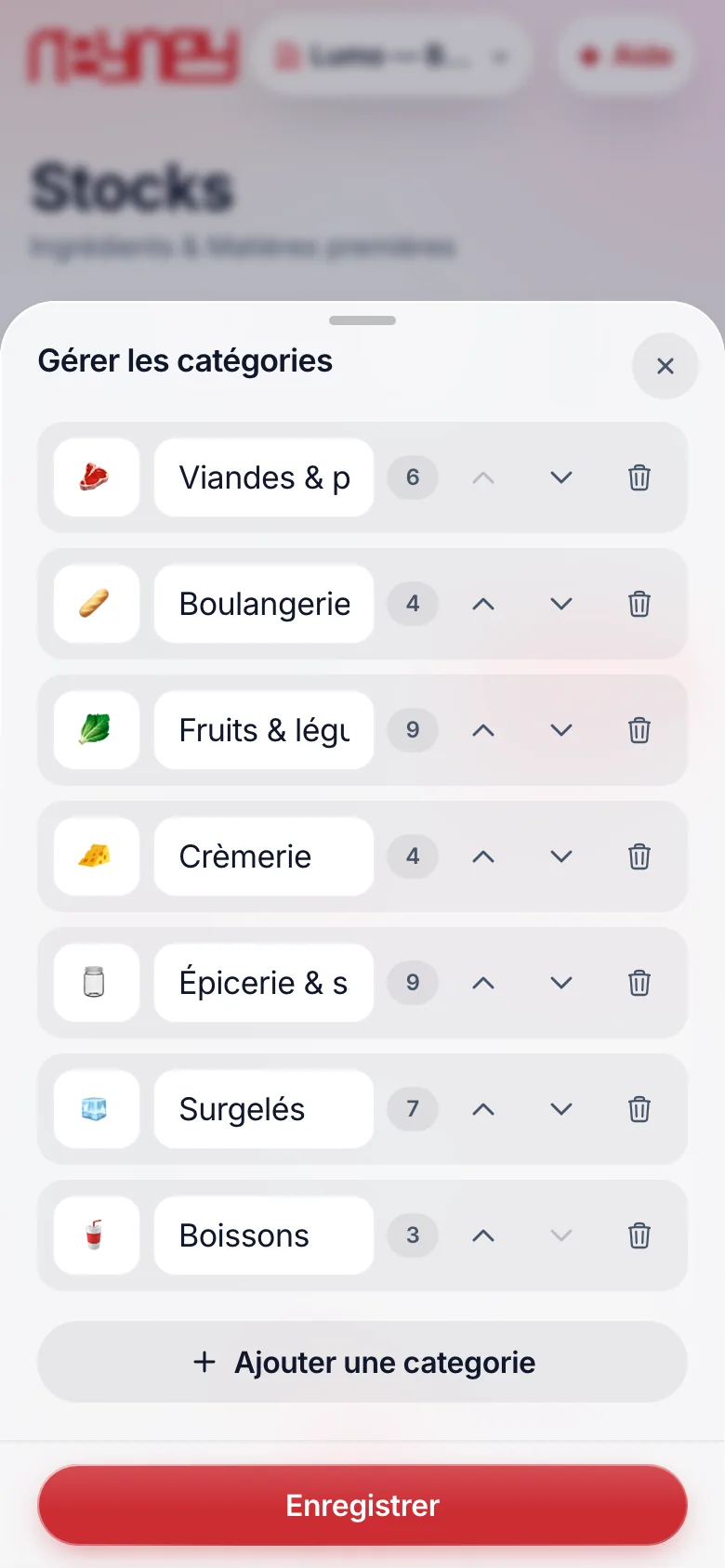
Your aisles, in your order
Meat, bakery, dairy, grocery: you arrange your ingredients as in your storeroom.
Three points of margin recovered across the menu
A restaurant with €40000 in monthly revenue and a 32% food cost spends €12800 on ingredients.
If tracking portions, waste and purchase prices brings that cost down to 29%, that’s €1200 a month that stays in the till, for a module at 47 €.
A calculation assumption: the gap depends on your menu and your organisation. The module shows you, dish by dish, where it is.
Know what you earn on each dish
A restaurant often loses 3 to 5 points of margin without seeing it: waste, portions, rising purchase prices.
The module makes them visible, and lets you adjust your prices accordingly.
Each dish is described by its ingredients and portions.
With every sale, stock goes down on its own.
Selling price, food cost, margin: per dish and per category, updated when your purchase prices change.
An ingredient drops below its threshold: you are warned on your phone before running out during service.
Delivery, sale, waste or stocktake: every movement is dated and signed.
You know who did what, and when.
Counting from the phone, by zone (fridge, storeroom, freezer), with the gap between theoretical and actual calculated.
With the Invoices module, every photographed supplier invoice updates your stock and purchase prices.
Your margin under control, from activation
The module is activated in one click from your customer area or with your advisor. It is billed from your next payment, with no pro rata, and removed at the end of the period paid.
Build my planYour questions about this module
We enter your recipes with you at installation, from your menu. After that, a new dish takes two minutes to describe in the app.
Automatically with the Invoices module: the photographed invoice updates the price of each ingredient. Otherwise, you enter them by hand when they change.
Yes. Each restaurant has its own stock, and you see the consolidated picture: margins per site, inventory gaps, purchase prices compared.
No, but a regular count keeps the figures right: it reveals losses and portion errors. Counting is done from the phone, zone by zone.
Yes. Modules are independent: you activate this one alone or with others, and you add or remove it whenever you want, without changing hardware. It is billed from your next payment, with no pro rata.